A page built to load fast under pressure
90+ PageSpeed guaranteed and re-tested, which matters most for an anxious, impatient visitor.
Emergency dentist website design has one job that overrides every other design consideration: someone in pain, searching on a phone, needs to find out in seconds whether you can see them today and how to reach you, and a slow or cluttered site loses that patient to the next result before it finishes loading. This page type is judged almost entirely on speed and clarity, not visual polish.
What it costs
Detail 01
A patient searching "emergency dentist near me" or "chipped tooth what to do" is often in discomfort and impatient in a way a routine-visit searcher is not. A page that takes several seconds to load on a phone connection loses that visitor to a competitor's result before they see anything. This is exactly why every page carries a 90+ PageSpeed guarantee, and it matters most here.
Detail 02
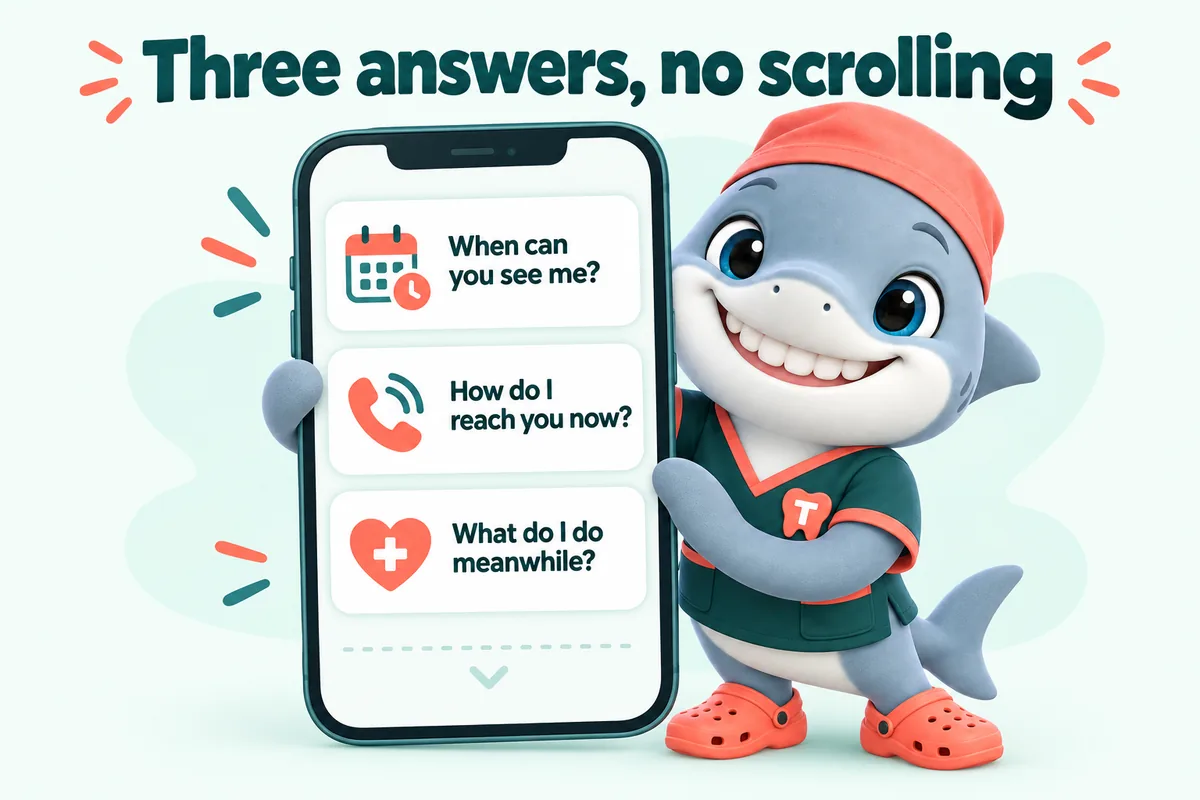
Can you see me today or this week, how do I reach you right now, and what should I do in the meantime, all need to be visible without scrolling. Detailed explanations of specific emergency types can follow further down the page, but the immediate action a visitor needs has to be the first thing they see, not the reward for scrolling past a hero image.
Detail 03
The page can offer general, non-diagnostic guidance, keep a knocked-out tooth moist and seek care quickly, for example, sourced from reputable dental guidance rather than invented, while being clear that it is general information and not an assessment of the visitor's specific situation. The page always directs toward contacting the practice or, for a true medical emergency, emergency services.
Detail 04
Routine booking requests and emergency contact information both belong on the site, but they should not compete for the same attention. The emergency page and its call-to-action are built to stand apart from the general booking flow, since a same-day emergency need should never get lost behind a standard multi-field appointment request form.
Deliverables
90+ PageSpeed guaranteed and re-tested, which matters most for an anxious, impatient visitor.
Visible immediately, not after scrolling past a hero section.
Non-diagnostic information only, clearly framed as general and not a substitute for an assessment.
Separated from the standard multi-field booking request so it is not slowed down.
The page never positions itself as a substitute for urgent medical care.
Directs a visitor to the nearest office able to see them.
Included
Not included
The build
Four steps, and the only one you pay for before launch is the first month.
Live demo
A 30-minute walk-through of the site you would get, with your treatments, your carriers and the booking request wired the way your front desk wants it.
SEO, AEO, GEO and schema
Patients now search three ways: they type into Google, they ask a voice assistant, and they ask an AI chat tool. Your website is built for all three on every plan, as part of the build, not as an add-on.
SEO
SEO is what gets your practice listed when someone searches for a treatment in your town.
AEO
AEO shapes your content so it can be lifted as the answer in featured snippets, voice answers and AI summaries.
GEO
GEO makes your practice easier for AI assistants such as ChatGPT, Claude, Perplexity and Google AI Overviews to find, understand and cite.
Schema
Schema is a layer of labels in the page code that tells search engines exactly what each thing on the page is.
What you get
What every plan carries, and which plan adds the AI Engine or the Content Engine.
Cleanings, crowns, root canals, implants, aligners, whitening, emergencies and whatever else you offer, each on its own page with an FAQ block and the booking request.
Single Operatory: includedFull Practice: includedMulti-Location: included
A page per office with hours, parking, team and map, plus pages for the neighborhoods and nearby towns your patients come from. Multi-Location adds a location hub.
Single Operatory: includedFull Practice: includedMulti-Location: included
The carriers you accept, how billing works at your office, and your financing or membership options, in plain words.
Single Operatory: includedFull Practice: includedMulti-Location: included
A short request form (reason for visit, carrier, preferred times) that is clearly a request your front desk confirms, with an automatic reply to the patient.
Single Operatory: includedFull Practice: includedMulti-Location: included
Every request is pushed by API, Zapier or Make into your practice management system where it accepts external requests, and into your CRM in every case, with new patients tagged.
Single Operatory: includedFull Practice: includedMulti-Location: included
Static pages served from Cloudflare, compressed photos and almost no JavaScript, re-tested after every change.
Single Operatory: includedFull Practice: includedMulti-Location: included
Readable type sizes, color contrast and large tap targets for patients of every age, built with the WCAG guidelines in mind.
Single Operatory: includedFull Practice: includedMulti-Location: included
Hours, team, offers, carriers and treatment changes, done within 2 to 5 working days. Extra revisions are a flat fee, never hourly.
Single Operatory: includedFull Practice: includedMulti-Location: included
One place to request revisions, raise tickets and send files, with an optional named approver who signs off every change on a preview link.
Single Operatory: includedFull Practice: includedMulti-Location: included
Cloudflare hosting, a self-renewing SSL certificate, daily backups, uptime monitoring and security headers, all inside the monthly fee.
Single Operatory: includedFull Practice: includedMulti-Location: included
A domain registered in your practice's name at no charge while your plan is active, or your existing domain pointed at the new site with DNS managed.
Single Operatory: includedFull Practice: includedMulti-Location: included
The domain is in your name and the content we write is yours. On cancellation you get a full export within 14 days.
Single Operatory: includedFull Practice: includedMulti-Location: included
Every page on your current site is mapped to a page on the new one and redirected, so links and search results keep working.
Single Operatory: includedFull Practice: includedMulti-Location: included
Client words
Before this, sending our new patient appointments form felt like posting a letter into the dark. Now the sender gets a summary, the next step in plain language, and a way to correct mistakes. Duplicate submissions have dropped away almost completely.
I appreciated being asked to separate new patient appointments requests from ongoing conversations. New business and existing conversations now arrive under different subjects. Visitors get a simpler page and we get a clearer inbox.
The evening inquiry route for new patient appointments suits how we actually work. People leave the relevant details and see plainly when to expect a reply. Mornings start with a proper queue rather than voicemail archaeology.
Case studies
Real practices where this work was part of the build, and what changed at the front desk.
No. It gives general, non-diagnostic guidance sourced from reputable dental information and is clear that it is not an assessment of the visitor's specific situation. Anything requiring judgment is directed to contacting your practice or, for a genuine medical emergency, emergency services.
No, both exist on the site. The emergency contact path is simplified and separated from the standard multi-field booking request so a same-day need is not slowed down by fields meant for routine scheduling.
Yes. The page is written to reflect what your practice actually offers, whether that is same-day emergency slots, next-day priority booking, or guidance to seek urgent care elsewhere when appropriate, rather than overstating availability.
Yes, it can be built into any plan as one of your treatment pages; there is no separate emergency-page pricing tier.
The emergency page makes the fastest route obvious, usually a tappable phone number, and the request form collects the details either way. On the Full Practice and Multi-Location plans the AI receptionist answers the call or the text, collects the same details and flags anything urgent for a person at the practice; it never gives clinical advice.
Only if you do, and only in the way you want it worded. We write what your practice actually offers, such as same-day slots held back each morning or a call-back window, and it stays a request until your front desk confirms it.
Fast enough that a person in pain does not go back to the search results. Emergency pages are static, image-light and served from the edge, and they carry the same PageSpeed target as every other page, re-tested after each change.
Next step
A live walk-through of the site you would get, in about 30 minutes. Plans from $137 a month, the $797 build fee invoiced only after launch, domain and hosting included.
Book a demoOr email and a person replies within one working day.
GetDentalWebsite uses the cookies below. Necessary cookies keep the site working and cannot be turned off.
Saved on this device only. Press Esc to close.