Ten features

Everything included in a GetDentalWebsite website

Ten things a dental practice website has to do, and how each one is built and kept working on every plan.

Pages that open instantly

Hand-built static pages served from the edge, 90+ PageSpeed guaranteed on mobile and desktop.

Why speed is the first feature of a dental practice website

Most people looking for a dentist are on a phone, often with a toothache or a child in the back seat, and they leave a page that hesitates. We hand-build every practice site to ship almost no JavaScript, compress every photo of the office and the team, and serve the whole site from Cloudflare's edge network. The result is a page that is readable before the visitor has finished lifting their thumb. That is not a tuning pass done after launch. It is how the site is built on day one, and it is why we can put a 90+ PageSpeed guarantee in the terms rather than in a sales pitch.

What we measure and what we fix

We test every page of your site against Google's Core Web Vitals on a throttled mobile connection, not on an office desktop. Largest Contentful Paint, Interaction to Next Paint and Cumulative Layout Shift are checked before launch and again after every revision. If a treatment page slips because a new gallery or a third-party widget was added, we see it in our weekly check and fix it at no charge. Nobody at the practice has to run a speed test, install a caching plugin or understand what any of those terms mean. The guarantee is ours to keep.

Available onSingle OperatoryFull PracticeMulti-Location

A page for every treatment

Cleanings, fillings, crowns, implants, aligners, whitening and emergencies, each on its own page.

One page per treatment is how a practice gets found

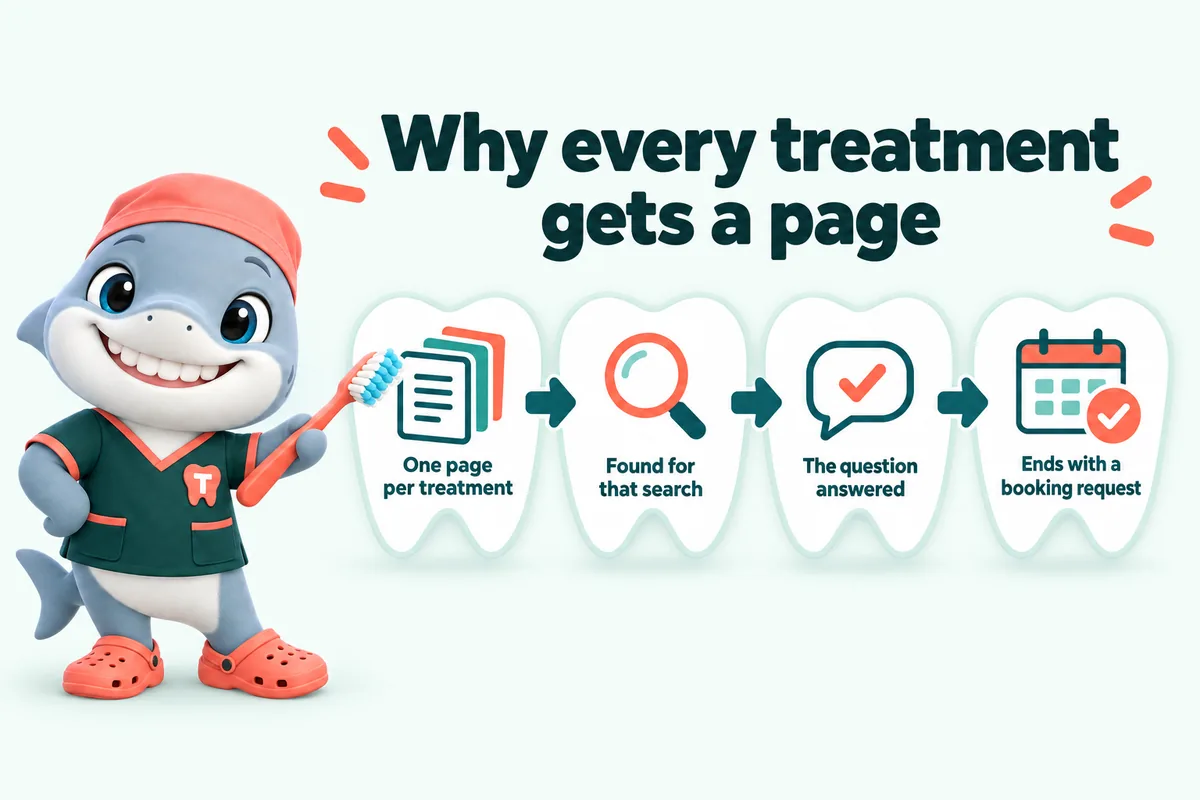
A single "Services" page listing twelve treatments in a row gives search engines one thin page to rank and gives a patient nothing to read. We build a separate page for every treatment your practice offers: hygiene and cleanings, fillings, crowns and bridges, root canals, extractions, implants, dentures, veneers, whitening, clear aligners, sleep appliances, emergency visits, and whatever else you do. Each page explains what the visit involves in plain language, who it is for, what happens at the appointment, how insurance and financing usually apply, and ends with the booking request form. The wording is general information, reviewed by you, never clinical advice.

Written from your practice, not a template

During onboarding we take your list of treatments, the questions your front desk answers most, and the way your dentists describe each visit. We write the pages in that voice and send them for approval before they go live. Treatment pages carry FAQ sections with matching schema so the questions patients type into Google can be answered by your page, and internal links so a patient reading about crowns can find the implants page and the financing page without hunting. When you add or drop a treatment, we add or retire the page as a normal weekly update.

Specialty practices get specialty structure

An orthodontic practice does not need a fillings page, and an endodontic practice needs a referral page more than a whitening page. The treatment set is built for your specialty: aligner and braces pages for orthodontists, implant and full-arch pages for restorative practices, first-visit and sedation pages for pediatric practices, referring-dentist pages for periodontists, endodontists and oral surgeons. Each of the practice-type pages on this site lists the pages we build for that specialty, so you can see the structure before the demo call.

Infographic with Tuna, the GetDentalWebsite mascot: Why every treatment gets a page. One page per treatment. Found for that search. The question answered. Ends with a booking request.

Available onSingle OperatoryFull PracticeMulti-Location

Location and neighborhood pages

A page for each office and each neighborhood you draw patients from, with hours, parking and directions.

Why "dentist near me" needs a page that names the place

Searches for a dentist are local by nature, and search engines decide which practice to show by matching the searcher's location to pages that actually mention it. A single address in the footer is not enough. We build a page for each office you run, with the exact address, opening hours, parking and public transport notes, the team who work there, the treatments offered on site, and an embedded map. Then we build pages for the neighborhoods and nearby towns your patients come from, each written specifically rather than copied with the town name swapped.

Multi-location practices get a real structure

A group with three or six offices needs each location to stand on its own in search while still reading as one practice. We build a location hub, a page per office with its own schema, hours and booking form routed to that office's front desk, and treatment pages that link to the right location for that service. Your Google Business Profile for each office links to its own page, not the home page. On the Multi-Location plan we manage those profiles too, so hours, photos and posts stay consistent with the website.

Available onSingle OperatoryFull PracticeMulti-Location

Insurance and financing pages

The carriers you accept, how billing works and the financing options you offer, answered before the call.

The cost question is the first one patients ask

Before a patient books, they want to know whether you take their insurance and roughly what they will pay. If the website does not answer that, they call, and the front desk spends the call explaining rather than booking. We build an insurance page that lists the carriers and plans you accept, explains in plain terms how in-network and out-of-network billing works at your practice, and what happens with estimates and pre-authorisations. It is written from your own policies and reviewed by your office manager, so it says what the front desk would say.

Financing and membership pages that do the explaining

Practices that offer payment plans, third-party financing or an in-house membership plan for patients without insurance usually explain it verbally, one call at a time. We give each option its own clear section: who it is for, what it covers, how to apply or enroll, and what it does not include. Fee ranges appear only if you choose to publish them, and any figure on the page comes from you. The financing page links from every treatment page where cost is a common question, particularly implants, orthodontics and cosmetic work.

Available onSingle OperatoryFull PracticeMulti-Location

Booking requests and the new-patient form

A short form that asks only what the front desk needs and pushes the request into your PMS or CRM.

A request form, not a fake calendar

Most "book online" widgets either show a calendar that is never in sync with the schedule or ask for so much that people give up. Ours is a booking request. It asks for the patient's name, phone, email, reason for visit, whether they are a new or existing patient, their insurance carrier, and two or three preferred days and times. It says clearly that the front desk confirms the appointment, so nobody turns up to a slot that was never booked. The form opens instantly, works on a phone with one thumb, and can be reached from every treatment page and every location page.

Into your practice management system or CRM

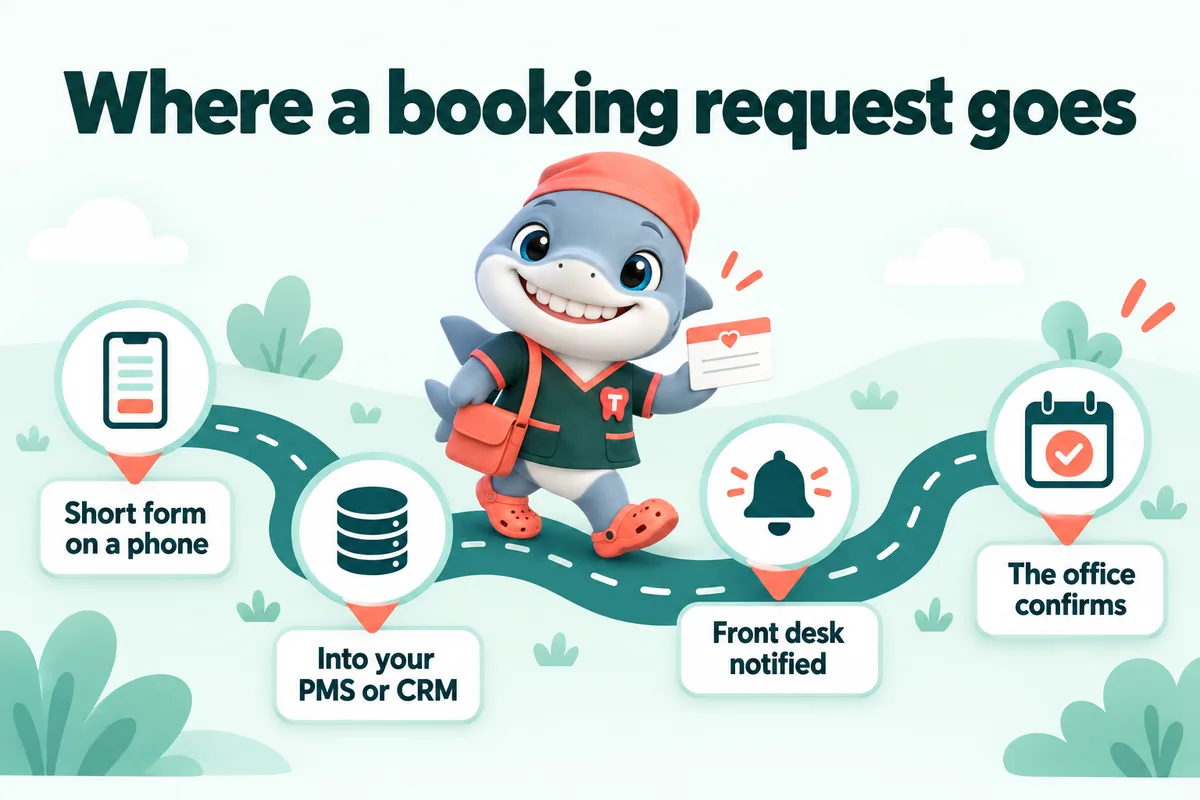
Each request is pushed to where your team works, not to an inbox that gets checked at lunch. We connect the form by API, Zapier or Make to your practice management system, your CRM or both, tag new-patient requests separately, and send the front desk a notification with the details filled in. If your PMS accepts external requests, they appear there. If it does not, the request lands in the CRM with a task for the coordinator. An automatic reply tells the patient what happens next and when to expect a call.

Only what the front desk needs, and nothing sensitive

The form collects contact details, the reason for the visit in the patient's own words, an insurance carrier and preferred times. It does not ask for medical history, medication lists, member ID numbers or anything that belongs in a secure intake form after the appointment is confirmed. Practices that use a separate secure intake tool get a link to it from the confirmation message. You are responsible for the compliance obligations that apply to your practice; we build the form to collect the minimum and to route it only where you tell us to.

Infographic with Tuna, the GetDentalWebsite mascot: Where a booking request goes. Short form on a phone. Into your PMS or CRM. Front desk notified. The office confirms.

Available onSingle OperatoryFull PracticeMulti-Location

Live demo

See the booking request wired to your practice software

On the demo we show the form landing in a PMS or CRM with the reason for visit, insurance carrier and preferred times already filled in.

Book a demo

Weekly detail updates

Hours, team members, new-patient offers and treatment changes, edited within 2 to 5 working days.

A practice website changes every week, so we change it every week

A hygienist joins, an associate leaves, Friday hours shift for the summer, the new-patient offer changes, a new intraoral scanner arrives and the implant page needs updating. On most practice sites those edits wait months because someone has to log in, find the page builder and hope nothing breaks. On ours you email the change and it is live within 2 to 5 working days. Five revisions a month are included on every plan, a revision has no size limit, and additional ones are a flat fee, so nobody at the practice thinks twice about asking.

What a weekly update typically covers

Team page changes with a new bio and photo, holiday hours and closures added to every location page, a seasonal offer swapped in the banner and the new-patient page, a new treatment page or a retired one, updated insurance carriers, a photo gallery from a recent office refresh, and corrections you spot after launch. Each update is checked against the page speed guarantee before it ships. If your practice has a formal review process for published text, we hold the change in preview until your named approver says yes.

Available onSingle OperatoryFull PracticeMulti-Location

Researched articles, written for patients

Two researched articles a week on tiers 1 and 2, three on tier 3, each 2,500 to 3,200 words with sources.

Articles that answer what patients actually search

People search for a dentist by asking questions: what happens at a first visit, how long a crown takes, whether a chipped tooth is an emergency, what clear aligners cost compared to braces. We publish two researched articles a week on the Single Operatory and Full Practice plans and three on Multi-Location, each 2,500 to 3,200 words, answer-first, with a table of contents, a sources list and an FAQ block with matching schema. Every article is general information written for a reader deciding whether to book, and every one carries a clear line that it is not a diagnosis or a treatment plan.

Researched, sourced and reviewed by you

Each article cites reputable sources for any factual claim, and we do not invent statistics. Topics come from a plan we build with you at onboarding: the treatments you want more of, the questions your front desk hears, and the seasonal patterns in your area. You can review any article before it goes live and ask for corrections or removal at any time. Articles link to the relevant treatment page and the booking request form, so the reader who came for an answer can take the next step without leaving the site.

Available onSingle OperatoryFull PracticeMulti-Location

Managed hosting and maintenance

Cloudflare hosting, SSL, backups, uptime monitoring and updates included, with nothing itemized.

Hosting you never think about

The site is served from Cloudflare's global network with an SSL certificate that renews itself, daily backups, uptime monitoring that alerts us rather than you, and security headers set correctly from day one. There is no hosting invoice, no plugin update reminder, no PHP version warning and no separate line for bandwidth or storage. It is all inside the monthly fee. Because the site is static, there is no database to be hacked, no admin login to be brute-forced and nothing for a plugin to break at two in the morning.

Your domain stays yours

We register a domain for you in your practice's name at no charge, or point the site at the domain you already own. If you cancel, the domain and the content are yours, and we provide an export within 14 days. Email stays with whichever provider you use today. DNS is managed for you so a change of email provider or a new subdomain for patient forms is a request, not a project. Nothing is held back or held hostage; the point of managed hosting is that you never have to think about it, not that you cannot leave.

Available onSingle OperatoryFull PracticeMulti-Location

The AI Engine

An AI receptionist, site chat and SMS, Messenger and Instagram agents that take booking requests after hours.

A receptionist that answers when the front desk cannot

On the Full Practice and Multi-Location plans the site gains an AI receptionist and chat agent that answers questions about your practice, your hours, the treatments you offer, the insurance you accept and how financing works, and turns the conversation into a booking request with the same fields as the form. It works on the website, by SMS, on Facebook Messenger and on Instagram, around the clock. It is scripted from your own pages and your front desk's answers, it never gives dental or medical advice, and anything that sounds like a clinical question is handed to a person at the practice.

Call analysis and messaging done properly

The AI Engine records and summarises the calls it handles into a PDF you can read in a minute: who called, what they wanted, what was booked and what needs a human follow-up. Text messaging in the United States requires carrier registration, and we file the A2P 10DLC application for you so your reminders and replies are not filtered as spam. Usage is billed at cost on top of the monthly fee, and you see it itemized. You review every script before launch and can change the tone, the hand-off rules and the hours it operates at any time.

Available onSingle OperatoryFull PracticeMulti-Location

The Content Engine

Three articles, three social image posts and two reels a week, plus a managed Google Business Profile.

Content for every location, every week

The Multi-Location plan adds a content engine built for practices with more than one office to keep visible. Three researched articles a week instead of two, three social image posts a week in your brand, two short reels a week, and a managed Google Business Profile for each location with hours, photos, posts and question answers kept current. Everything is planned a month ahead with you, reviewed before it goes out, and written as general information for patients rather than clinical guidance. The point is a steady presence without anyone at the practice having to produce it.

Google Business Profile, managed

For most practices the Google Business Profile is where a new patient first sees the office, the photos, the hours and the reviews. We keep each profile accurate, post weekly, upload new photos as the office changes, answer the questions patients leave on it, and link every profile to its own location page on the site. We also set up the review request that fires after a visit so that a happy patient is asked while it is still fresh. We never write reviews and never respond to a review with anything that discusses a patient's treatment.

Available onSingle OperatoryFull PracticeMulti-Location

Availability

Which plan carries which feature

Feature availability by plan
FeatureSingle OperatoryFull PracticeMulti-Location
Pages that open instantlyIncludedIncluded
A page for every treatmentIncludedIncluded
Location and neighborhood pagesIncludedIncluded
Insurance and financing pagesIncludedIncluded
Booking requests and the new-patient formIncludedIncluded
Weekly detail updatesIncludedIncluded
Researched articles, written for patientsIncludedIncluded
Managed hosting and maintenanceIncludedIncluded
The AI EngineNot includedIncluded
The Content EngineNot includedIncluded

Compare the full terms of each plan on the pricing page.

What you get

Everyfeatureinthepackage,andwhat you have to do

The same list in customer terms: what each part does, the front-desk problem it solves, what the practice has to do (usually nothing but approve) and the plans that carry it.

The website

  • Cleanings, crowns, root canals, implants, aligners, whitening, emergencies and whatever else you offer, each on its own page with an FAQ block and the booking request.

    Solves
    One services page lists twelve treatments and ranks for none of them.
    Your part
    Send your treatment list and approve the drafts.

    Single Operatory: includedFull Practice: includedMulti-Location: included

  • A page per office with hours, parking, team and map, plus pages for the neighborhoods and nearby towns your patients come from. Multi-Location adds a location hub.

    Solves
    "Dentist near me" shows the practice down the road because your site never names your area.
    Your part
    Tell us your offices and the towns you draw from.

    Single Operatory: includedFull Practice: includedMulti-Location: included

  • The carriers you accept, how billing works at your office, and your financing or membership options, in plain words.

    Solves
    Every new-patient call starts with "do you take my plan?"
    Your part
    Send your carrier list and policies; your office manager reviews the wording.

    Single Operatory: includedFull Practice: includedMulti-Location: included

  • A short request form (reason for visit, carrier, preferred times) that is clearly a request your front desk confirms, with an automatic reply to the patient.

    Solves
    Evening and weekend requests sit in an inbox until Monday.
    Your part
    Nothing beyond telling us who should receive requests.

    Single Operatory: includedFull Practice: includedMulti-Location: included

  • Every request is pushed by API, Zapier or Make into your practice management system where it accepts external requests, and into your CRM in every case, with new patients tagged.

    Solves
    Requests are retyped by hand, or lost between an inbox and the schedule.
    Your part
    Give us access to the system that should receive them.

    Single Operatory: includedFull Practice: includedMulti-Location: included

  • Static pages served from Cloudflare, compressed photos and almost no JavaScript, re-tested after every change.

    Solves
    A patient on a phone gives up on a slow page and calls someone else, and paid clicks are wasted.
    Your part
    Nothing. We test and fix it.

    Single Operatory: includedFull Practice: includedMulti-Location: included

  • Readable type sizes, color contrast and large tap targets for patients of every age, built with the WCAG guidelines in mind.

    Solves
    Older patients and anyone on a small screen struggle with tiny text and buttons.
    Your part
    Nothing.

    Single Operatory: includedFull Practice: includedMulti-Location: included

Managed for you

  • Hours, team, offers, carriers and treatment changes, done within 2 to 5 working days. Extra revisions are a flat fee, never hourly.

    Solves
    Edits wait months because someone has to log in or call the agency.
    Your part
    Request the change from your client portal.

    Single Operatory: includedFull Practice: includedMulti-Location: included

  • One place to request revisions, raise tickets and send files, with an optional named approver who signs off every change on a preview link.

    Solves
    Change requests scattered across emails, texts and sticky notes.
    Your part
    Log requests there; approve if you want approval.

    Single Operatory: includedFull Practice: includedMulti-Location: included

  • Cloudflare hosting, a self-renewing SSL certificate, daily backups, uptime monitoring and security headers, all inside the monthly fee.

    Solves
    Separate hosting, SSL and plugin bills, and the site going down at night.
    Your part
    Nothing. Nobody at the practice logs in.

    Single Operatory: includedFull Practice: includedMulti-Location: included

  • A domain registered in your practice's name at no charge while your plan is active, or your existing domain pointed at the new site with DNS managed.

    Solves
    A domain registered to a former agency or an employee who left.
    Your part
    Approve the name, or give us DNS access.

    Single Operatory: includedFull Practice: includedMulti-Location: included

  • The domain is in your name and the content we write is yours. On cancellation you get a full export within 14 days.

    Solves
    Fear of being locked in to a platform or an agency.
    Your part
    Nothing.

    Single Operatory: includedFull Practice: includedMulti-Location: included

  • Every page on your current site is mapped to a page on the new one and redirected, so links and search results keep working.

    Solves
    Losing years of rankings when the site changes.
    Your part
    A login or export from your current site, if you have one.

    Single Operatory: includedFull Practice: includedMulti-Location: included

Found in search and AI answers

  • Clean page structure, one clear heading per page, unique titles and descriptions, internal links between treatments, locations and financing, and a sitemap.

    Solves
    A site that looks fine but gives search engines nothing to rank.
    Your part
    Nothing.

    Single Operatory: includedFull Practice: includedMulti-Location: included

  • Practice, location, hours, treatments and FAQs marked up as JSON-LD so search engines and AI assistants read them rather than guess.

    Solves
    Wrong hours or services shown in search because nothing on the site states them clearly.
    Your part
    Nothing.

    Single Operatory: includedFull Practice: includedMulti-Location: included

  • Every heading answered in its first sentence, FAQ blocks on treatment pages, and plain, citable facts that answer engines and AI assistants can quote.

    Solves
    Patients ask Google, voice assistants and chat tools, and your practice is never the answer.
    Your part
    Review the answers for accuracy.

    Single Operatory: includedFull Practice: includedMulti-Location: included

  • 2 a week on Single Operatory and Full Practice, 3 on Multi-Location, each 2,500 to 3,200 words, sourced and general information only.

    Solves
    The blog stopped after three posts and nothing new answers patient questions.
    Your part
    Optional: review each article before it goes live.

    Single Operatory: includedFull Practice: includedMulti-Location: included

AI Engine

  • Answers calls the front desk cannot pick up, handles questions about hours, treatments, insurance and financing, and turns the call into a booking request. Calls are summarised into a PDF: who called, what they wanted, what needs a person.

    Solves
    After-hours, lunch and chairside calls go to voicemail and the patient calls the next office.
    Your part
    Approve the scripts and hand-off rules before launch.

    Single Operatory: not includedFull Practice: includedMulti-Location: included

  • A chat on every page that answers practice questions from your own content and collects a booking request with the same fields as the form.

    Solves
    Visitors with one quick question leave instead of filling in a form.
    Your part
    Approve the answers it is allowed to give.

    Single Operatory: not includedFull Practice: includedMulti-Location: included

  • Replies to texts, Facebook Messenger and Instagram DMs around the clock and books requests. Anything clinical is handed to a person at the practice.

    Solves
    Messages on three apps that nobody has time to answer quickly.
    Your part
    Connect your pages and number once; we do the rest.

    Single Operatory: not includedFull Practice: includedMulti-Location: included

  • We file the US carrier registration for business texting so replies and reminders are not filtered as spam.

    Solves
    Texts from an unregistered number get blocked by carriers.
    Your part
    Supply business details for the application.

    Single Operatory: not includedFull Practice: includedMulti-Location: included

Content Engine

  • Social image posts and short reels in your brand, planned a month ahead and reviewed before they go out.

    Solves
    No time to post, so the practice looks inactive.
    Your part
    Approve the monthly plan.

    Single Operatory: not includedFull Practice: not includedMulti-Location: included

  • Hours, photos, weekly posts and question answers kept current on every profile, each linked to its own location page, plus a review request after the visit.

    Solves
    Out-of-date profiles showing wrong hours to new patients.
    Your part
    Grant manager access to each profile.

    Single Operatory: not includedFull Practice: not includedMulti-Location: included

Compare the plans and prices

Speed and ads

Afastersitemakeseveryaddollarwork harder

If the practice runs Google Ads or social ads, the landing page is half the result. A slow or confusing page wastes the click you paid for. A fast, specific page helps keep it, and can help lower what you pay for the next one.

We do not promise a specific cost-per-click, percentage or ranking. We build the page the ad lands on to be fast, relevant and easy to act on.

  • Built to open fast on a phone

    Static pages, compressed photos and almost no JavaScript, served from Cloudflare. Every page targets 90+ on Google PageSpeed and is re-tested after each change.

  • Easy to use with one thumb

    Large tap targets, the booking request always one tap away, and the answer to the heading in its first sentence.

  • Better landing pages can lower what a click costs

    Google lists landing-page experience as one of the three parts of Quality Score, and says higher-quality ads can often lead to a lower cost per click. A fast, relevant treatment page helps on both counts.

  • More of your paid clicks stay

    When a page loads before the visitor gives up, fewer people bounce back to the search results, so more of the clicks you already paid for reach the booking request.

Sources: Google Ads Help, "About Quality Score" (checked September 2026); Google Ads Help, "About Ad Rank" (checked September 2026).

In practice

Whatthesefeatureslooklikeonce they are running

  • I wanted the new patient appointments page to show how we work, not just assert that we work well. They helped us select reference material that actually means something and explain it properly. It reads like the honest version of the calls we have every day.
    Anne ArcherOperations manager, Community dental practiceTacoma, WashingtonReference content and service presentation for new patient appointments
  • They asked to see the questions customers genuinely ask us about new patient appointments, which I respected. Nothing went live until the person responsible for that subject had signed off the answer. Pointing people to the page has replaced hunting through old emails.
    John WentworthHead receptionist, Implant and restorative dental clinicSavannah, GeorgiaFAQ research and editorial review for new patient appointments
  • The preparation page for new patient appointments works because it keeps its focus. It explains what the first conversation needs, and deliberately asks for nothing sensitive online. We include it in our first response as standard.
    Herbert CrossleyPractice manager, Orthodontic and general dentistry clinicRoanoke, VirginiaPreparation guide and inquiry support for new patient appointments

Compliance

Thecompliancepagesthatship with your site

Included on every plan, written in plain language and linked from your footer.

  1. 01

    Privacy policy

    Written for how your site actually collects contact details and booking requests, and who receives them.

  2. 02

    Terms of use

    Plain terms for using the practice website, including that treatment content is general information.

  3. 03

    Cookie policy with consent that really gates scripts

    Analytics and marketing tags do not load until the visitor agrees, and the policy lists what the site sets.

  4. 04

    Accessibility statement and a WCAG-minded build

    Readable text, contrast and keyboard access built in, with a statement and a way to report problems. This helps you meet the ADA expectations; it is not a legal certification.

  5. 05

    No health information in web forms

    The booking request asks only for contact details, reason for visit in the patient's words, carrier and preferred times. No medical history or member IDs, which keeps sensitive data out of email and CRMs. We do not claim HIPAA certification; secure intake stays in your own intake tool.

  6. 06

    SMS consent wording

    Where a form or chat offers texts, the opt-in carries clear consent wording written with the TCPA in mind, and texting runs on a registered A2P 10DLC number on the AI Engine plans.

  7. 07

    "General information, not advice" on treatment pages

    Every treatment page and article says it is not a diagnosis or a treatment plan, and that only an examination can decide what is right.

These pages and safeguards are built to help your practice meet common US website expectations. They are not legal advice, and we do not guarantee compliance; your own attorney or compliance adviser should review them for your practice.

Answers

Questionsaboutthe features

Do you add schema markup to our site?

Yes, on every plan. We add JSON-LD structured data for the practice and each location, your services, FAQ blocks and breadcrumbs, generated from the details you give us so it always matches what is on the page. Review markup is added only for real reviews you have permission to publish.

What are AEO and GEO, and why do they matter for a dental practice?

AEO is answer engine optimization: writing so a search engine or voice assistant can lift your answer straight into a results panel. GEO is generative engine optimization: making your practice easy for AI assistants such as ChatGPT, Claude, Perplexity and Google AI Overviews to understand and cite. Both matter because patients now ask questions rather than type keywords. We build both in with answer-first copy, FAQ blocks, consistent practice details and an llms.txt file. Nobody can guarantee a mention in an AI answer.

Will our practice show up in AI assistants such as ChatGPT?

We cannot promise that, and anyone who does is guessing. What we can do is make it more likely: plain, citable facts about your practice, the same name, address and phone everywhere, structured data, an llms.txt file and pages that answer real patient questions. That is the same work that earns featured snippets in search.

What does the AI Engine actually do for a dental practice?

On the Full Practice and Multi-Location plans it answers questions about your practice, hours, treatments, insurance and financing on the website, by SMS, on Messenger and on Instagram, and turns the conversation into a booking request with the same fields as the form. It is scripted from your own pages, never gives dental advice, and hands anything clinical to a person at your practice.

Will the AI receptionist discuss symptoms or treatment?

No. It is configured to answer only about the practice and to book requests. If a patient describes pain or asks whether they need a particular treatment, it explains that the dentist will assess that at the appointment and passes the conversation to your team. You review the scripts and hand-off rules before launch.

Who writes the articles and what are they about?

Our writers research and write 2 articles a week on the Single Operatory and Full Practice plans and 3 a week on Multi-Location, each 2,500 to 3,200 words, on the questions patients search before booking: first visits, what a crown involves, aligners compared with braces, what to do about a chipped tooth. Every article cites its sources, is general information rather than advice, and can be reviewed by you before publishing.

Do we need anyone at the practice to look after the site?

No. Nobody at the practice logs in to anything. You email changes and we make them. We monitor speed, uptime and search performance and fix what needs fixing. If a treatment page slips below the speed guarantee because of something we added, we correct it at no charge.

Is the website accessible for patients with disabilities?

It is built with the WCAG 2.2 AA guidelines in mind: readable text sizes, color contrast checked in both light and dark appearance, keyboard access with visible focus, labeled form fields, alternative text on images and layouts that reflow when zoomed. Each site ships with an accessibility statement and a way to report a problem. That helps you meet ADA expectations; it is not a legal guarantee or a certification.

Does the booking form collect protected health information?

No, by design. The form asks for a name, phone, email, whether they are a new or existing patient, the reason for the visit in their own words, their insurance carrier and preferred times. It does not ask for medical history, medication lists or member ID numbers. Anything sensitive belongs in your own secure intake tool after the appointment is confirmed, and we link to it. We are not a healthcare provider and we do not claim HIPAA certification.

How do you handle text message consent?

Where a form or chat offers text messages, the opt-in carries clear consent wording written with the TCPA in mind, and the visitor can reply STOP at any time. On the AI Engine plans we also file your A2P 10DLC carrier registration so business texts are delivered rather than filtered. We are not your legal adviser; your own counsel should approve consent wording before it goes live.
More answers on the full FAQ page, or email us and a person replies within one working day.

Next step

Everyfeature,builtforyourpracticetype,inthedemo.

From $137 a month, live in 7 days, and nobody at the practice ever logs into anything.