Why your dental website is slow on a phone
The real causes of a slow practice website, in the order they usually matter, and what a practice can do about each one without becoming a web developer.
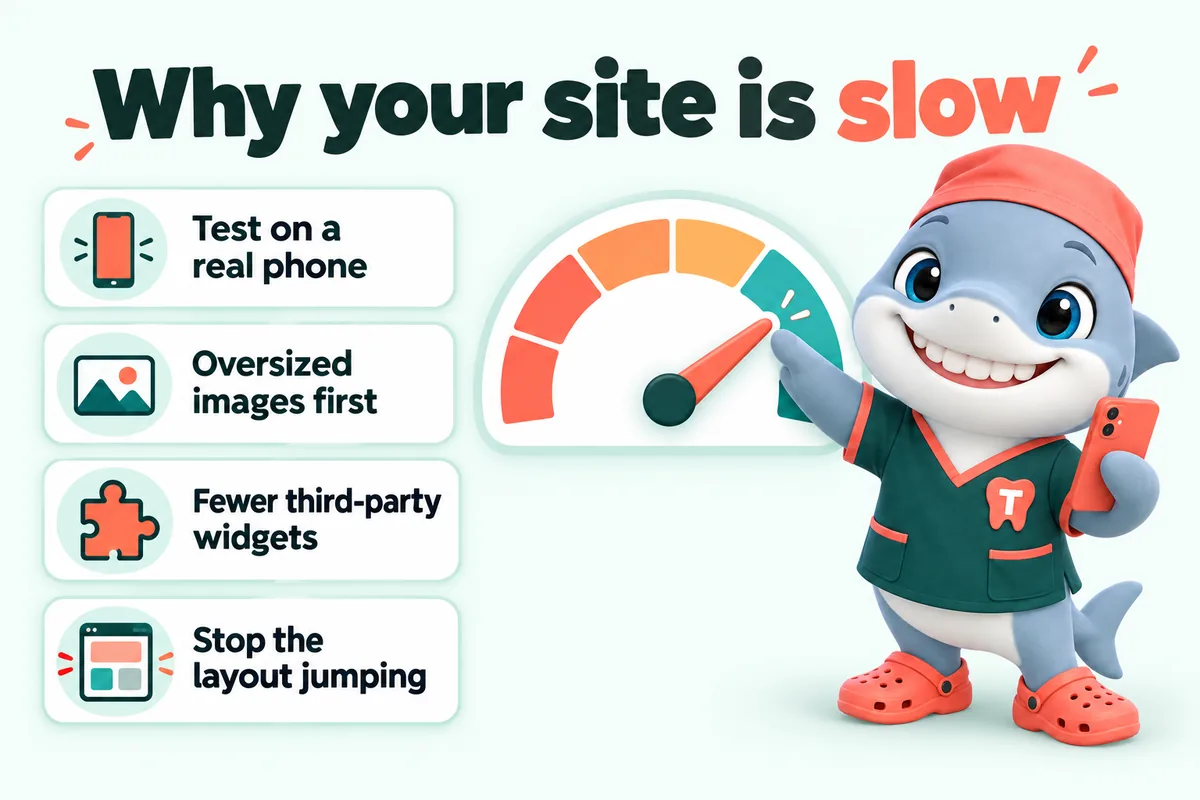
A dental practice website is almost always slow for one of five reasons, and they arrive in a predictable order: enormous images, third-party scripts, a page builder that ships far more code than the page needs, a cheap and distant host, and fonts or layout that make the page jump while someone is trying to read it. Fixing them in that order gets most practices most of the way, and none of the fixes require the practice to understand any of the underlying technology.
This is written for owners and office managers who have been told their site is slow and want to know what that actually means. It is about websites, not dentistry.
First, measure the right thing
Test on the device your patients use
Open your site on a five year old phone, on mobile data, standing outside the building. That is the test. The office desktop on office broadband with the site already cached tells you nothing, and it is the reason so many practices are genuinely surprised when someone says their site is slow.
The three numbers worth knowing
Google publishes three measures under the Core Web Vitals name, and between them they describe almost everything a visitor experiences.
Largest Contentful Paint is how long until the biggest thing on the screen appears. In practice, on a dental page, that is the hero image or the headline. It is the number that answers “did anything happen yet”.
Interaction to Next Paint is how long the page takes to respond after someone taps something. On a practice site the taps that matter are the phone number, the booking button and the menu. A page that has finished loading but does not respond for half a second after a tap feels broken even though it is finished.
Cumulative Layout Shift is how much the page moves while it is loading. This is the one that causes the specific frustration of tapping “Book” and hitting “Careers” because an image loaded above it and pushed everything down.
All three are part of how Google assesses page experience, and they are measurable, which means a supplier can be held to them.
What a score does and does not tell you
A lab score from a testing tool is a simulation. It is useful for finding causes, which is what this article is about. What matters more is field data, meaning what actually happened to real visitors on real devices. Most practices will not look at field data themselves, and that is fine. The important thing is knowing that the number on the office desktop is not the number.
Cause one: the images
Why this is almost always first
A photograph from a modern phone or a practice camera is several thousand pixels wide and several megabytes. Displayed in a page at four hundred pixels wide, every one of those extra pixels is downloaded and then thrown away. A team page with twelve full resolution headshots can be twenty times heavier than it needs to be, and on mobile data that is the difference between instant and several seconds.
It is also the most common thing a practice does to its own site without realising. Someone adds a new associate, uploads the original file, and the team page gets slower.
What good looks like
- Images resized to roughly the size they are actually displayed at, with a larger version served only to screens that need it.
- Modern formats, which for the same visual quality are meaningfully smaller than the older ones.
- Width and height, or an aspect ratio, declared on every image so the browser reserves the space before the file arrives. This single detail removes most layout shift.
- Images below the first screen loaded only as the reader approaches them, and the main hero image loaded immediately rather than lazily, which is a mistake that makes the most important image the slowest.
- No image used where a coloured shape would do. The gradient behind a section does not need to be a photograph.
The practical fix for a practice
If you upload images to your own site, resize them before uploading. Fifteen hundred pixels wide is plenty for almost any use on a practice site. If your supplier manages the site, this should simply never be your problem, and if it is, that is worth raising.
Cause two: the third-party scripts
What they are
Every widget on the page that comes from somewhere else is a third-party script: the chat bubble, the review carousel, the booking embed, the appointment reminder popup, the analytics tag, the advertising pixel, the social feed, the accessibility overlay, the font loader.
Each one downloads code from another company’s servers, runs it on your page, and often loads more code after that. Your page is now only as fast as their slowest server.
Why they hurt more than their size suggests
A hundred kilobytes of your own code and a hundred kilobytes of someone else’s are not equivalent. Third-party code usually arrives later, blocks the main thread while it runs, and frequently inserts elements into the page after the layout has settled, which causes exactly the shifting that makes a page feel unstable.
They are also the most common cause of poor interaction responsiveness, because a script that is busy cannot let the page respond to a tap.
The honest audit
List every widget on your site and, for each one, answer two questions. Who at the practice is responsible for it. What would break if it were removed.
In most audits, at least two of them fail both questions: a chat widget that nobody staffs, a social feed nobody looks at, a tag from an agency that stopped working with the practice two years ago. Removing those is the cheapest performance work available.
For the ones that stay, the technical fixes are to load them after the page is usable rather than before, to load a chat widget only when someone taps a button rather than on every page view, and to reserve space for anything that will be inserted so it does not push content around.
One additional consideration specific to healthcare: third-party code on pages where patients enter information is not only a performance question. It is worth reading the Department of Health and Human Services guidance on online tracking technologies with your own advisers before adding anything to a page with a form on it.
Cause three: the platform
Page builders ship what you did not use
A general purpose page builder has to be able to render anything, so it ships the code for everything, on every page. A practice site built this way commonly loads several hundred kilobytes of code to display a page that is a headline, four paragraphs and a button.
That code has to be downloaded, parsed and executed before the page becomes responsive, and on a mid range phone the parsing and executing is often slower than the downloading.
Themes and plugins compound it
Each plugin adds its own code and often its own stylesheet, usually loaded on every page whether it is needed there or not. A site with twenty plugins is loading twenty sets of assets on the contact page.
What the alternative looks like
A page that has been built as a page, rather than assembled by a runtime, sends the browser the markup and styles for that page and very little else. Interactions that genuinely need code get a small amount of code; everything else is served as finished HTML. This is why it is possible to guarantee a speed score on a hand-built site and not on a builder site: the weight is a design decision rather than a consequence.
This is not an argument that every practice must rebuild. It is an explanation of why the ceiling is where it is, and why tuning a heavy platform produces smaller gains than people expect.
Cause four: the host
Distance is time
If your site is served from a single machine and that machine is a long way from the person loading it, every file takes longer. A content delivery network keeps copies close to the visitor, which removes most of that distance for most people.
Shared hosting under load
Inexpensive shared hosting puts many sites on one machine. When one of them is busy, the others slow down. A practice cannot see this happening and has no way to influence it.
What to ask for
Hosting behind a content delivery network, with a valid certificate, automatic renewal, backups, and someone who notices when the site is down other than a patient. On a managed plan all of that should be included and invisible rather than four separate invoices and one person’s problem.
Cause five: fonts and layout stability
The invisible text problem
Custom fonts are downloaded after the page starts rendering. Depending on how they are loaded, the text is either invisible until the font arrives, or shown in a fallback and then swapped. Invisible text is far worse: the page has technically rendered and the reader sees nothing.
The fix is a loading strategy that shows text immediately in a fallback font, and a fallback stack chosen so the swap does not move anything much.
Reserve the space
Anything that arrives late needs its space reserved in advance: images, embedded maps, video players, ad slots, cookie banners, and anything a script inserts. Declared dimensions on media and a reserved height for injected elements between them remove nearly all layout shift.
The cookie banner is part of the page
A consent banner that appears half a second after the page and pushes content around is a layout shift like any other, and it is one of the most common on healthcare sites. It should be positioned over the page rather than inserted into it, and it should appear immediately rather than after a delay.
An order of work
If a practice wants to act rather than read, this is the sequence that gets the most improvement for the least effort.
- Test the site on a real phone on mobile data. Note the three or four pages patients actually use.
- Find the heaviest images on those pages and replace them with properly sized versions.
- List every third-party widget. Remove the ones nobody owns.
- Make sure every image and embed has dimensions declared so nothing jumps.
- Ask your host whether the site is served through a content delivery network. If the answer is no or unclear, that is a conversation.
- Re-test. If the important pages are still slow after all of that, the platform itself is the constraint, and no amount of tuning changes that.
Keeping it fast
The part nobody plans for is that speed decays. It decays every time a new plugin is installed, a full resolution photograph is uploaded, a marketing tag is added for a campaign that ended, or a new widget is trialled and never removed.
A site that was fast at launch and has never been checked since is usually not fast now. The practices that stay fast are the ones where somebody checks after every change, which is a process rather than a project.
What slow actually costs a dental practice
The visitor you never see
The cost of a slow site is not paid by the patients you already have. They know your practice, they have the number in their phone, and they will wait.
It is paid by the person who has just searched, opened three practices in three tabs, and is deciding between them while standing in a car park. They are not evaluating your practice. They are evaluating three pages, and the one that appears first gets read first. The other two are often closed without ever being seen.
That person never appears in your analytics as a lost opportunity, because they never became a session worth counting. This is why practices with genuinely slow sites often believe speed is not their problem: the evidence is missing by definition.
The pages where it costs most
Not every page carries the same weight.
- The emergency page is opened by someone in pain, often at night, often on a weak connection, and often with one hand. It is the page where a two second delay most reliably ends in a call to someone else. It should be the lightest page on the site: the number at the top, a short answer, and nothing clever.
- The treatment page a campaign points at is where paid traffic lands. Slow pages waste advertising money at a rate that is easy to calculate and uncomfortable to look at.
- The booking request page is the last step, where the visitor has already decided. A form that hesitates after a tap is the most expensive hesitation on the site.
- The team and location pages are the ones a nervous patient reads before committing, and the ones most likely to be image heavy.
If a practice can only fix four pages, those are the four.
What to ask a website supplier
Speed is one of the few things about a website that a practice can hold a supplier to without understanding the underlying work, because it is measurable by anyone with a phone. A short list of questions that gets an honest answer quickly:
- What score do the main pages get on a throttled mobile connection, today? Not the desktop score and not the score at launch.
- Who is responsible when it drops? If the answer involves an hourly rate, the practice now owns a job it cannot do.
- Is the site behind a content delivery network, and is the certificate renewed automatically?
- What happens to the score when we add a photograph or a new page? A good process re-checks after every change.
- Which third-party scripts are on our pages right now, and who asked for each one? A supplier who cannot list them is not looking.
- Will you put a number in the contract? The answer tells you whether the speed is a property of the build or a hope.
A supplier who answers all six plainly is worth keeping, whatever platform they use. A supplier who explains that speed scores do not really matter is telling you something about the site rather than about the scores.
What we do about it
Every page on the sites we build is hand-built to ship almost no code, images are processed and sized before they go anywhere near a page, and the whole site is served from a content delivery network with the certificate, the backups and the monitoring included in the monthly fee. We test against Core Web Vitals on a throttled mobile connection before launch and again after every revision, and if a page slips because something new was added, fixing it is our job rather than an extra invoice.
That is why we are willing to put a speed guarantee in the terms rather than in a sales pitch: it is a property of how the site is built, not a tuning pass done afterwards.
We are a website design and management company for dental practices. We do not treat patients and nothing we publish is dental or medical advice.
Sources
Frequently asked questions
Why is my dental website slow only on mobile?
Because a phone has less processing power, a slower and less reliable connection, and is usually tested from a different place than the office. A site that feels instant on the practice desktop over office broadband can take several seconds on a five year old phone on mobile data, and that is the experience most of your patients are actually having.
What are Core Web Vitals and do they affect dental practices?
They are Google measures of loading, responsiveness and visual stability: Largest Contentful Paint, Interaction to Next Paint and Cumulative Layout Shift. They apply to every site including practice websites, they form part of how Google assesses page experience, and more importantly they measure the things that make a visitor give up and go back to the results.
What is the single biggest cause of a slow practice website?
Usually images that were uploaded at full camera resolution, followed closely by third-party scripts such as chat widgets, review carousels, booking embeds and tracking tags. On a typical page builder site those two together account for most of the weight and most of the delay.
Does a chat widget slow down a dental website?
Almost always, because it loads code from someone else server and usually does so before the page has finished its own work. Whether it is worth the cost depends on whether the practice answers it promptly. A chat widget nobody staffs is pure cost, and an unstaffed widget is also a poor patient experience.
Is a faster website worth it if the practice is already busy?
Speed is not about the patients you already have. It is about the person comparing three practices on a phone with a toothache, who will never appear in your numbers because they left before the page rendered. That is the audience a fast page is for.
Want a site like the one described here? Book a demo with GetDentalWebsite.