Move a dental website without losing your rankings
The redirect map, the pages that must survive, and the order of operations that keeps a practice findable through a rebuild or a platform move.
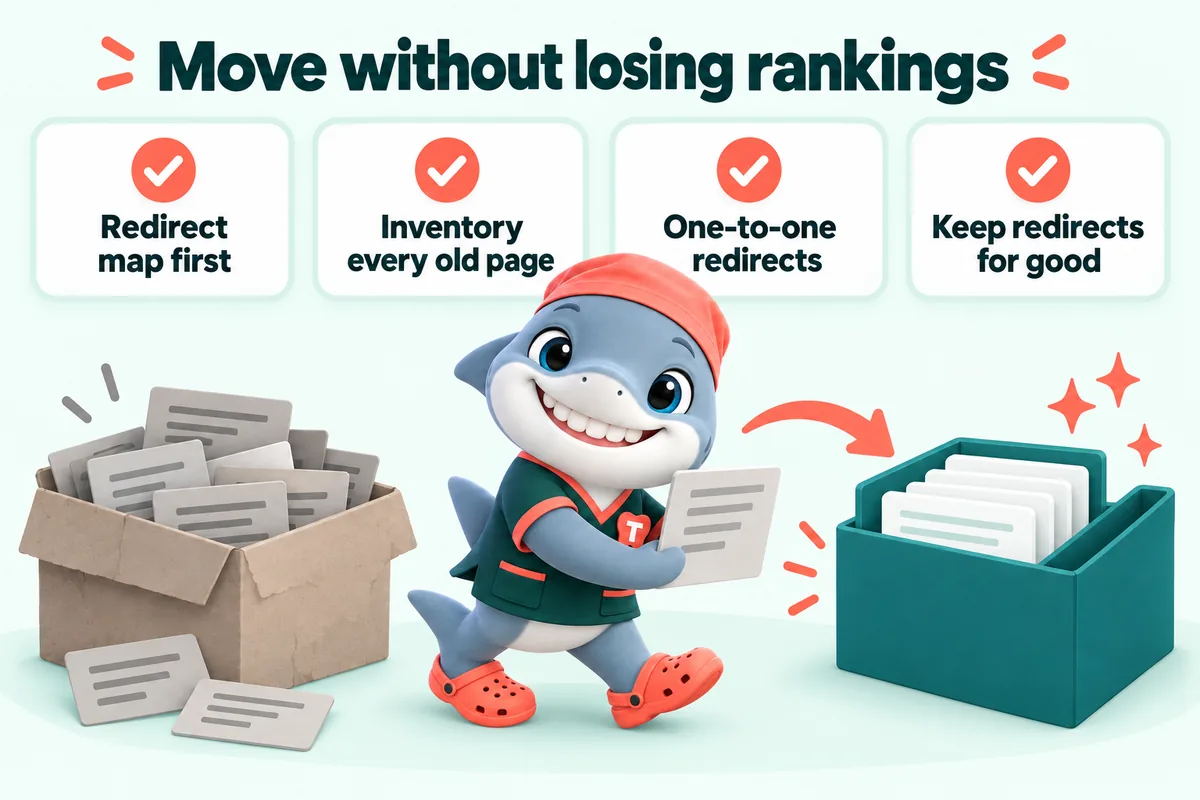
A dental practice keeps its search rankings through a website move when every address on the old site either survives unchanged or redirects, one to one, to the page that replaces it, and when the content that was earning those rankings still exists on the new site. Almost every horror story about a rebuild that destroyed a practice visibility comes down to one of two mistakes: pages that were quietly dropped, or a redirect rule that sent everything to the home page.
This is written for owners and office managers who are about to commission a rebuild and want to know what to insist on. It is about websites rather than dentistry.
Why practices lose rankings in a rebuild
The addresses change and nobody maps them
A practice site has been at the same addresses for years. Other sites link to those addresses, directories list them, Google has them indexed, and people have them bookmarked. A rebuild changes the structure, so the addresses change, and unless somebody writes down what became what, every one of those links now points at nothing.
The visitor sees a 404. Google sees a page that has disappeared. The accumulated credit that page had built up has nowhere to go.
Everything is redirected to the home page
This is the fix that feels like a fix and is not. Sending every old address to the home page means that a person who clicked a link about dental implants arrives at a general page about the practice and has to start again, and it tells search engines that none of those old pages has a genuine replacement. Google’s own guidance on redirects describes this pattern plainly as something to avoid.
The content that was ranking did not survive
Sometimes the addresses are handled perfectly and the rankings still go. The reason is usually that the new site is prettier and thinner. The old implant page had eleven hundred words answering real questions, and the new one has a photograph, a headline and a button. Design improved and the reason the page ranked was thrown away.
Nobody looked afterwards
A move is not finished at launch. If nobody checks the coverage reports for a month, a whole section that failed to redirect can sit broken until a patient mentions it.
Before anything is built: the inventory
List every address on the old site
Every one. Not the ones in the menu, all of them. There are usually more than anyone expects, including:
- Treatment pages that were unlinked from the menu years ago but still rank.
- Old blog posts, including the ones the practice is embarrassed by.
- Location pages for an office that has since closed.
- Landing pages built for a campaign in 2019.
- Team member pages for people who have left.
- PDFs: new patient forms, financial policies, post-operative instruction sheets. These are frequently linked from other sites and are the single most commonly forgotten category.
- Image files that appear in search results.
Sources for the list: your content management system, your sitemap file, the coverage and page reports in Search Console, your analytics for anything that received a visit in the last two years, and a crawl of the site.
Find the pages that actually matter
For each address, note two things: how many visits it received from search in the last year, and whether any other website links to it. Those two numbers sort the list.
Most practice sites follow a familiar pattern. The home page, two or three treatment pages, the location page and one old blog post account for the large majority of search traffic. Those five are the pages the whole move needs to protect. Everything else still gets a redirect, but those five get attention.
Decide what happens to each one
Three outcomes, and every address gets exactly one:
- Kept, with the same address. The safest outcome; use it wherever the structure allows.
- Moved, to a new address, with a redirect. The normal outcome.
- Retired, because the content genuinely has no successor. Redirect it to the closest relevant page, usually the section it sat in, rather than the home page.
Write the result into a spreadsheet with two columns: old address, new address. That is the redirect map, and it should be signed off before the new site is built, because it constrains the new site structure in useful ways.
Keeping the content that earns
Audit before you rewrite
Before rewriting a page that ranks, read what it says. The reason it ranks is usually that somebody once answered a real question thoroughly. That answer needs to still be on the new page, better written and better laid out, but present.
A practical rule: for any page in the top five by search traffic, the new version may be shorter only if a specific paragraph is genuinely redundant. Length is not the goal, but a page that loses two thirds of its substance in the name of clean design will usually lose its position too.
Keep the headings that match the search
If the old page had a heading that exactly matched what people search for, keep that heading, even if a cleverer one has been written. This is not superstition; it is the part of the page that tells both the reader and the search engine that the page is about the thing they asked about.
Do not let a redesign quietly delete the blog
Practices that have written anything at all usually have a handful of posts that attract steady search traffic. Rebuilds routinely drop the blog entirely because it looks dated. Move the posts, redirect them, and improve them later.
The technical checklist
Redirects
- One permanent redirect per old address, pointing at the closest equivalent.
- No chains. An address redirecting to an address that redirects again loses time and sometimes signal. Point each old address straight at the final destination.
- No loops. Test the map before launch rather than discovering them afterwards.
- Keep them permanently. Google advises keeping redirects for at least a year so signals can be transferred, and links in directories, old emails and printed material keep arriving far longer than that.
Canonicals
Every page on the new site should declare its own canonical address. This matters most where the same content can be reached by more than one address, which on a practice site usually means with and without a trailing slash, with and without the www prefix, and over both protocols. Pick one form, redirect the others to it, and declare it consistently.
Sitemaps
Publish a fresh sitemap containing only the new addresses, and submit it in Search Console at launch. It is also worth keeping the old sitemap available briefly, because it helps search engines discover the old addresses in order to follow the redirects.
Structured data
Rebuild the structured data on the new site rather than copying it: name, address, phone, hours and location data should be generated from the same source as the visible content so the two cannot drift apart. Check it after launch.
The things everyone forgets
- Email. If the domain is changing, the practice email moves with it, and that is a bigger operational risk than the website. Plan it separately and first.
- The Google Business Profile website link, which needs updating to the new address.
- The appointment link on the profile, which usually points at a page that is about to change.
- Directory listings, which need the new address.
- Printed material and signage, where an old address may live for years. This is an argument for keeping redirects permanently.
- Any automation that points at a form address, including reminder systems and campaign links.
If the domain itself is changing
A domain change is a different scale of operation. In addition to everything above:
- Verify both the old and the new domain in Search Console before launch.
- Put the full redirect map in place from the old domain to the new one, page by page.
- Use the change of address tool in Search Console once the redirects are live. It exists specifically for this and it does help.
- Keep the old domain registered and renewing, indefinitely. Letting it lapse hands every redirect and every historical link to whoever buys it next, which is a genuinely bad outcome for a healthcare business.
- Expect a dip. With everything done properly it is usually small and usually recovers within weeks, but planning for none at all leads to panic decisions in week two.
Launch and the month after
Pick the time deliberately
Early in the week, early in the day, with the people who can fix things available and awake. Not Friday afternoon. Not the day before a holiday closure. Not in the middle of the practice busiest month if there is any choice.
The first hour
Check, in this order: the home page loads; three of the most important pages load; a booking request submits and arrives where it should; the phone numbers are correct and tappable; a handful of old addresses redirect where the map says they should; the certificate is valid; nothing is accidentally blocking search engines from the whole site. That last one, a leftover instruction from the staging site, is the most catastrophic and most common single mistake in a launch.
The first month
Watch the coverage and page reports in Search Console weekly. What you are looking for is a rise in not found errors, which means a redirect was missed, and pages dropping out of the index, which means something is being blocked or excluded.
Expect some movement in positions for two to four weeks. Do not respond to week one by rewriting pages. Respond to week four by fixing whatever is genuinely broken.
Keep a record
Keep the redirect map, the old sitemap and a note of what changed. In six months, when someone asks why traffic to a particular page changed, that record is the only way to answer.
What a practice should insist on
If you are commissioning a rebuild, three things are worth putting in writing before work starts.
- A redirect map, delivered and approved before the build. If a supplier cannot produce one, they are not planning to do this properly.
- That the pages currently earning search traffic will be carried over in substance, not just in name.
- That someone is watching Search Console for at least a month after launch, and that fixing redirect misses in that window is included rather than billed.
None of the three requires the practice to understand the underlying work. All three are easy to check afterwards.
What we do
When we take over an existing practice site we crawl it first, build the redirect map from the old addresses, and check it against Search Console and analytics so that the pages actually earning traffic are identified before anything is designed. Redirects go in permanently, the sitemap is generated from the site itself so it cannot go stale, and we watch the coverage reports for the first month as part of the build rather than as an extra.
We are a website design and management company for dental practices. We do not treat patients and we give no dental or medical advice.
Sources
Frequently asked questions
Will a dental practice lose its Google rankings if it rebuilds its website?
Not if the addresses of the existing pages either stay the same or are redirected one to one to the page that replaces them, and the content that was ranking survives the rebuild. Ranking losses in a rebuild are almost always caused by pages quietly disappearing or by every old address being redirected to the home page.
What is a redirect map and why does a practice need one?
It is a list of every address on the old site and the address of the page that replaces it on the new one. It is the single most important document in a website move, it should exist before the new site is built rather than after, and it is the thing that decides whether the move is invisible to search engines or expensive.
How long should redirects be kept after a website move?
At least a year, and in practice permanently. Google advises keeping redirects in place for at least a year so it can transfer signals, and old links in directories, emails, printed material and other sites keep sending people for far longer than that.
Does changing the domain name affect a practice search rankings?
It can, and it needs more care than a rebuild on the same domain. With a full redirect map, the change of address tool in Search Console and both domains verified, a practice can move with a short and usually small dip. Without those, a domain change is the most reliable way to lose visibility that a practice can arrange.
When is the best time to launch a new dental website?
Early in the week and early in the day, when the people who can fix things are available. Never on a Friday afternoon, never the day before the practice closes for a holiday, and not in the middle of your busiest season if you can avoid it.
Want a site like the one described here? Book a demo with GetDentalWebsite.