Booking requests that land in your practice software
Why a dental site should take a request rather than publish a live calendar, what the form should ask for, and how the request gets into your PMS or CRM without breaking.
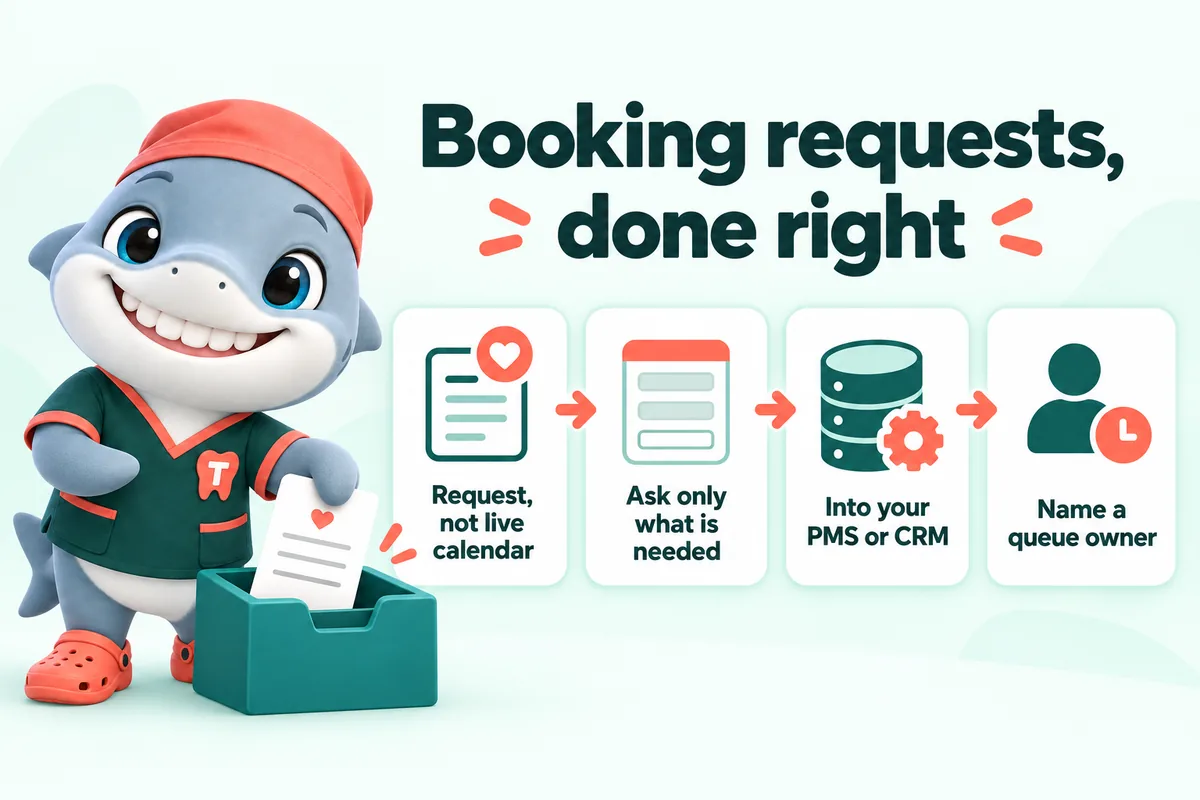
A dental practice website should take a booking request and push it into the system the front desk already watches, rather than publishing a live calendar or emailing a shared inbox. A request collects the reason for the visit, the insurance carrier and two or three preferred times, tells the patient clearly that the office will confirm, and arrives somewhere a named person is responsible for it. That is the whole design, and almost every failure in practice website booking is a failure of one of those four parts.
This article is for owners, office managers and whoever ends up owning the request queue. It is about forms, routing and process, not about dentistry, and nothing here is clinical advice.
Request or live calendar
What a live calendar promises
A live calendar shows real open slots from the schedule and lets a patient take one. When it works it is genuinely better: the patient gets certainty immediately and nobody has to call anyone back.
When it works. That requires your practice management system to expose availability reliably, your schedule to be structured in a way that maps onto bookable slots, your providers to agree on what may be booked without review, and your front desk to trust the result enough to stop checking it. Plenty of practices have all four. Many do not, and most of the ones that do not discover it after the calendar is live.
What goes wrong
The failure modes are consistent. A new patient books a thirty minute slot for something that needs ninety. Two hygienists share a column and the availability is wrong. A provider’s block scheduling is not represented, so the calendar offers a slot that the practice would never have given. Someone books an emergency slot for a cosmetic consultation. The front desk starts calling every online booking to check it, which is the phone call the calendar was supposed to remove, plus a slot that is now blocked.
What a request does instead
A booking request does not promise a time. It says: here is who I am, here is what I need, here is when I could come, please confirm. The front desk sees the reason for the visit and the carrier before it calls, so the call back is short and useful. Nothing is ever double booked because nothing was ever booked.
The tradeoff is honest and small: the patient waits for a confirmation. The way to make that tradeoff acceptable is speed, which is a process question rather than a software question, and we come back to it below.
When a live calendar is the right answer
If your system genuinely supports it, your appointment types are clean, and you have someone who will own the configuration as the schedule changes, a live calendar is a better experience and you should use it. The practical middle ground that suits a lot of practices is a live calendar for recall and hygiene, where the appointment type is predictable, and a request for everything else.
What the form should ask
The short answer
Name. Phone. Email. New or existing patient. Reason for the visit, in their own words. Insurance carrier. Two or three preferred days and times. Optionally, how they heard about you, which is the one marketing question worth the field.
That is eight fields and it takes a patient under a minute on a phone.
Why every extra field costs you
Each additional field is a small decision, and some of them are decisions the person cannot make on the spot. Asking for a policy number means finding a card. Asking for a date of birth in three dropdowns on a phone is a minor ordeal. Asking for a full medical history on a public form is both a conversion problem and a data problem.
The purpose of the form is not to collect a complete patient record. It is to get enough information for a five minute call that ends in an appointment. Everything else is collected later through whatever secure intake process the practice already runs.
The reason for the visit is the most valuable field
Give it a free text box, not a dropdown of clinical categories. “My crown came off last night and I am chewing on one side” tells the front desk more than any category ever will, and it is what the patient wants to say anyway.
Add two or three optional quick options above the box for the common cases, such as new patient exam, cleaning, emergency and consultation, because they help someone who does not know what to write. But keep the box.
Say what you do with it
Under the form, in plain text: that this is a request rather than a confirmed appointment, roughly how quickly someone will respond, what happens next, and a phone number for anything urgent. Link the privacy policy. This is the paragraph most sites skip and the paragraph that does the most for trust.
Building the form so it actually works
Accessibility is conversion
A dental booking form is used by older patients, by people in pain, by parents holding a child, on small screens and in bad light. The things that make a form accessible are the same things that make it usable for everyone.
- A visible label above every field. Placeholder text as a label disappears the moment someone types, and it fails for anyone using a screen reader.
- Tap targets no smaller than a finger. Small radio buttons and cramped dropdowns are the most common reason a form is abandoned on a phone.
- Real input types. A phone field should bring up the phone keypad and an email field the email keypad. This is one attribute and it changes the experience completely.
- Autocomplete attributes, so the browser can fill name, phone and email from what it already knows. The specification is well documented and support is universal.
- Errors next to the field, in words. “Enter a phone number we can reach you on” beats a red outline.
- Keyboard operability and a visible focus ring, which WCAG 2.2 addresses directly and which matters for a lot more people than most practices assume.
Speed is conversion too
A form that sits behind a slow page is a form that fewer people reach. Loading, responsiveness and visual stability are measurable, they are part of how Google assesses page experience, and they are felt by anyone filling in a form on a phone on mobile data. A booking form that depends on a heavy third-party script is slower and more fragile than one that is part of the page.
Do not let the form be the only path
Some people will not use a form, ever. The phone number belongs in the header, on the contact page and at the top of the emergency page, as a tap target. A practice that pushes everyone toward the form loses the callers, and a practice that publishes only a number loses everyone outside office hours. Both paths, always.
Routing: where the request goes
The shared inbox problem
The most common setup on a practice website is a form that emails info@ or frontdesk@. It works right up until it does not. Shared inboxes are read by everyone and owned by nobody, the request sits under a supplier invoice and a newsletter, and by the time someone opens it on Monday the patient has been seen elsewhere.
They also fail silently. Nothing tells you that a message was never read.
Into the system the desk already watches
The right destination is whatever the front desk has open all day. For most practices that is the practice management system; for a growing number it is a CRM that sits alongside it. A request that becomes a task, a lead or an appointment request inside that system is visible, assignable and countable.
Three ways this connection is usually made:
- A direct integration, where the practice management system or CRM exposes an interface for creating a lead or a request. This is the cleanest option when it exists.
- An automation platform such as a workflow tool that receives the form and creates the record. Slightly more moving parts, works with almost anything, and easy to change later.
- A dedicated intake or communications platform that many practices already run for reminders and two-way texting, which usually has a place for web requests.
Whichever you use, send an email copy to a monitored address as a backup. Integrations break quietly. An email that arrives when the integration is down is the difference between a delayed reply and a lost patient.
Tag new patient requests separately
Ask the new or existing question, and make sure the answer arrives in the system as a field you can filter on. A new patient request is worth a different response than a recall reschedule, and a practice that cannot separate them cannot see what its website is doing.
Test it with a real submission, then test it again
Every launch should include a real submission that is followed all the way to the front desk, confirming that the record appears, the fields are populated, the notification fires and someone can act on it. Repeat that test after any change to the form, the system or the automation, and put a recurring reminder in the calendar to do it quarterly regardless. Silent form failure is the single most expensive website fault a practice can have, and it is invisible from the outside.
Process: the part that is not software
Name an owner
The most useful change most practices make is deciding, explicitly, who owns the request queue and when they check it. “Everyone watches it” means nobody does. One named person per shift, with a named backup, and a rule about how often it is checked.
Decide the reply target and write it on the page
Whatever target you can actually hit, publish it and hit it. Same working day is a good target for most practices. What matters more than the number is that it is honest, because the page is making a promise on the practice’s behalf.
Reply with times, not a request to call
The reply that converts is the one that offers two or three specific slots and asks the patient to confirm one. A reply that says “please call us to book” hands the task back to the patient and undoes the point of the form.
Close the loop when the answer is no
If the practice cannot help, say so quickly and suggest what the person might do instead. It costs a minute, it is the decent thing, and it is the kind of thing people remember about a practice.
Privacy, briefly and seriously
A booking form on a dental practice site collects information about a person’s health care. That puts it in a different category from a contact form on a shop.
The Department of Health and Human Services has published guidance specifically on online tracking technologies used by covered entities and their business associates, and it deals directly with analytics and advertising code on pages where patients interact with a provider. Separately, the HIPAA Security Rule covers how electronic protected health information is handled. Neither of those is a question a website company can answer for a practice, and this article does not try to.
What a website company can do is reduce the surface area:
- Collect the minimum on the public form.
- Keep third-party code off the pages that collect patient information unless the practice has decided, with advice, that it belongs there.
- Send submissions over an encrypted connection to a destination the practice has chosen.
- Make sure the practice knows exactly where the data goes and who else touches it on the way.
Ask any website supplier these four questions before they launch a form for you. If they cannot answer them precisely, that is the answer.
What we do
On the sites we build, the booking request is part of the page rather than a widget bolted onto it, so it is fast and it works on a bad connection. It asks for the eight things above and nothing more, it is labelled as a request everywhere it appears, and it routes into the practice management system or CRM by direct integration or through an automation platform, with new patient requests tagged separately and an email copy as a backup. We test it with a real submission before launch, and again whenever anything about it changes.
We are a website design and management company. We do not treat patients and we are not anyone’s compliance adviser. What we can do is make sure the request arrives, arrives complete, and arrives somewhere a person is actually looking.
Sources
- U.S. Department of Health and Human Services: Use of Online Tracking Technologies by HIPAA Covered Entities and Business Associates
- U.S. Department of Health and Human Services: Summary of the HIPAA Security Rule
- Web Content Accessibility Guidelines (WCAG) 2.2
- web.dev: Web Vitals
- MDN: HTML autocomplete attribute
Frequently asked questions
Should a dental website offer live online booking or a booking request?
A request, unless your practice management system can publish a genuinely live two-way calendar and your front desk trusts it. A request collects the reason for the visit, the carrier and preferred times, tells the patient the office will confirm, and pushes the details into your system. It never double books and never shows a slot that does not exist.
What should a dental booking request form ask for?
Name, phone, email, whether the person is a new or existing patient, the reason for the visit in their own words, their insurance carrier, and two or three preferred days and times. That is everything the front desk needs to call back and confirm. Medical history, medication lists and member ID numbers belong in a secure intake process after the appointment exists.
Where should booking requests go?
Into whatever the front desk already watches all day, which is usually the practice management system or a CRM, with a copy to a monitored email address as a backup. A form that only emails a shared inbox will eventually lose a request, because shared inboxes are where things go to be read by nobody in particular.
How fast should a practice reply to a booking request?
Fast enough that the person has not booked somewhere else, which in practice means the same working day and ideally within a couple of hours. The single most useful process change most practices can make is deciding who owns the request queue and when they check it, rather than assuming everyone is watching it.
Is an online booking form a HIPAA problem?
It can be, depending on what it collects, where it sends it and what third-party code runs on the page. The Department of Health and Human Services has published specific guidance for covered entities on online tracking technologies, and a practice should read it with its own advisers before adding analytics, advertising tags or chat widgets to pages that collect patient information. Collecting less on the public form is the simplest way to reduce the exposure.
Want a site like the one described here? Book a demo with GetDentalWebsite.